
Campaigns
Campaigns overview
Campaigns are the unit of work in RCSync. This page covers the list view and how to navigate the moving parts; the linked pages drill into specifics.
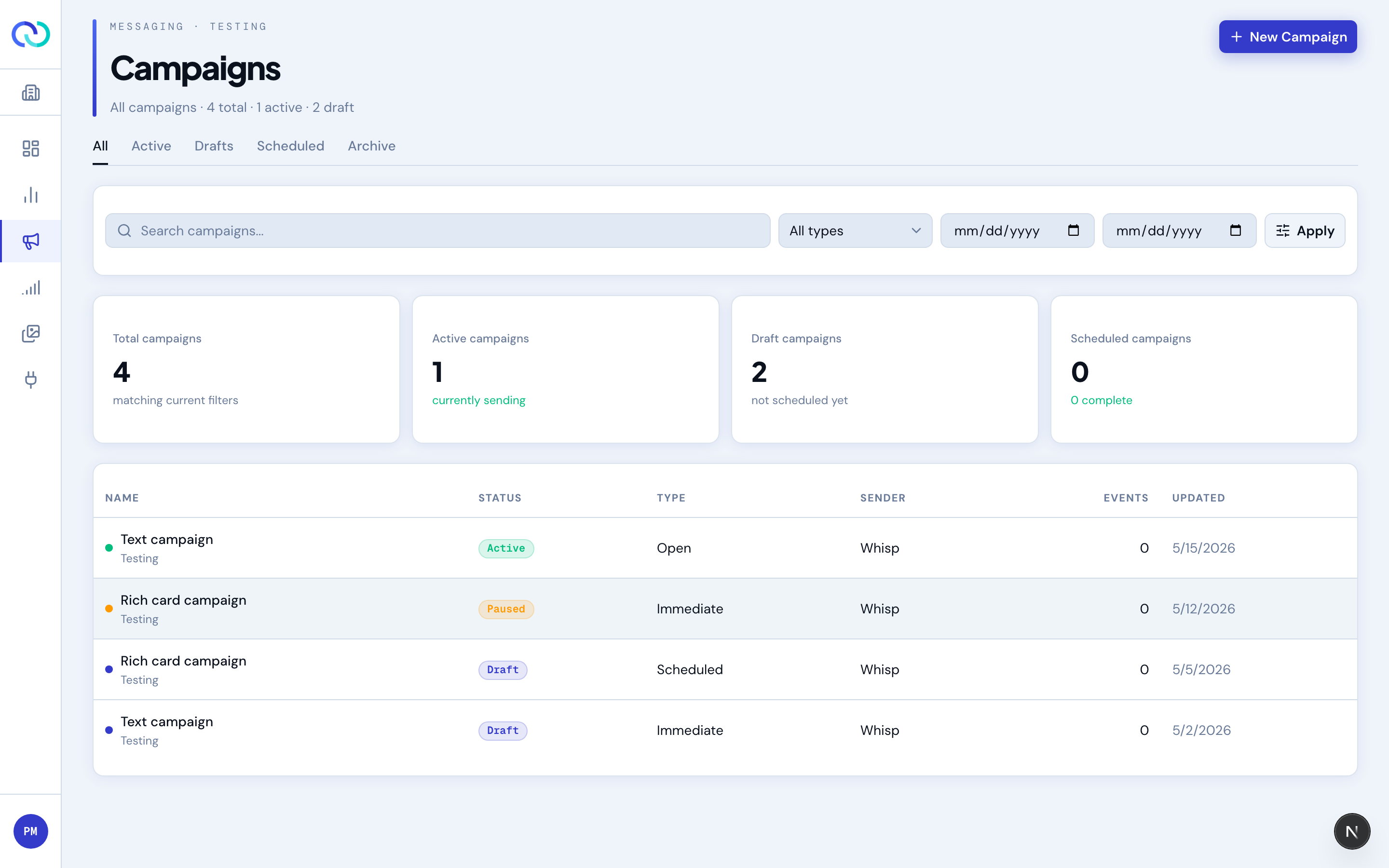
The campaign list
Open Campaigns from the sidebar to see every campaign for the current brand. The page is built around tabs and a filter row.
- Tabs — “All”, “Active”, “Drafts”, “Scheduled”, “Archive”. They filter by state. The Archive tab is the only place archived campaigns show.
- Search & filters — search by name, filter by campaign type, and narrow to a date range. Filters compose: searching and date-filtering at the same time is fine.
- Metric cards — counts that reflect your current filters, not your whole brand. Useful when you're looking at a specific window.
- New Campaign — top right; opens the template picker.
What's on a campaign detail page
Click any campaign in the list to open its detail page. The header has the name, sender, status, and the action buttons; everything else is organized into tabs.
- Overview — key metrics, the schedule, a message preview, and a test send.
- Analytics — reach, engagement, list health, trends over time, and the per-run table.
- Events — the individual message events behind those numbers (sent, delivered, opened, chip taps, replies): a per-type breakdown plus a time-ordered stream. Switch the count mode to Unique to see one entry per recipient and follow each recipient's journey instead.
- Activity — the audit trail for this campaign (who did what, when).
Channels: RCS, SMS, and Email
Every campaign sends on one channel, chosen at creation and locked once the campaign leaves draft. RCS and SMS are picked with the toggle in the Design step; Email is its own group on the New campaign page.
- RCS — rich cards, media, and suggested-reply buttons to handsets.
- SMS — plain text to handsets, billed per segment.
- Email — rich HTML to inboxes, dramatically lower cost per message. Opens, clicks, and unsubscribes are tracked automatically.
Email campaigns replace the message designer with an email composer: a subject, optional preview text, and an HTML body, with a live preview. A plain-text version is generated for you, and a compliant footer — your company name, physical mailing address, and a one-click unsubscribe — is appended automatically. A small Deliverability panel flags spam-filter risks (all-caps, excessive punctuation, high-risk phrases) as you write.
Sub-topics
- Campaign types — immediate, scheduled, recurring, open (webhook-triggered), and Aura Offers.
- Aura Offers — the always-on programme: an offer catalog, and a picker that chooses per customer.
- Message content — text, file, rich card, and carousel templates, plus the email composer.
- Audiences — upload, suppression, override.
- Lifecycle & states — draft → active → complete, plus pause and archive.
- Governance & compliance — frequency caps, STOP / HELP, opt-outs.
- Pricing & cost estimates — the two-tier model and where cost is shown.
- Tags — group campaigns and filter analytics by tag.